Practice 8 real-world maneuvers
Parallel parking in wide, standard and tight spaces, at an open curb, reverse and forward bay parking, a narrow bay with a wall and a 45° angled bay.
Free parking practice simulator
Parkwise lets you practice parallel, bay and angled parking with a car that moves exactly like a real one. Use the mirrors and the reversing camera, find your reference points and see after every attempt what worked and what did not.
Start practicing — it’s free See how it works
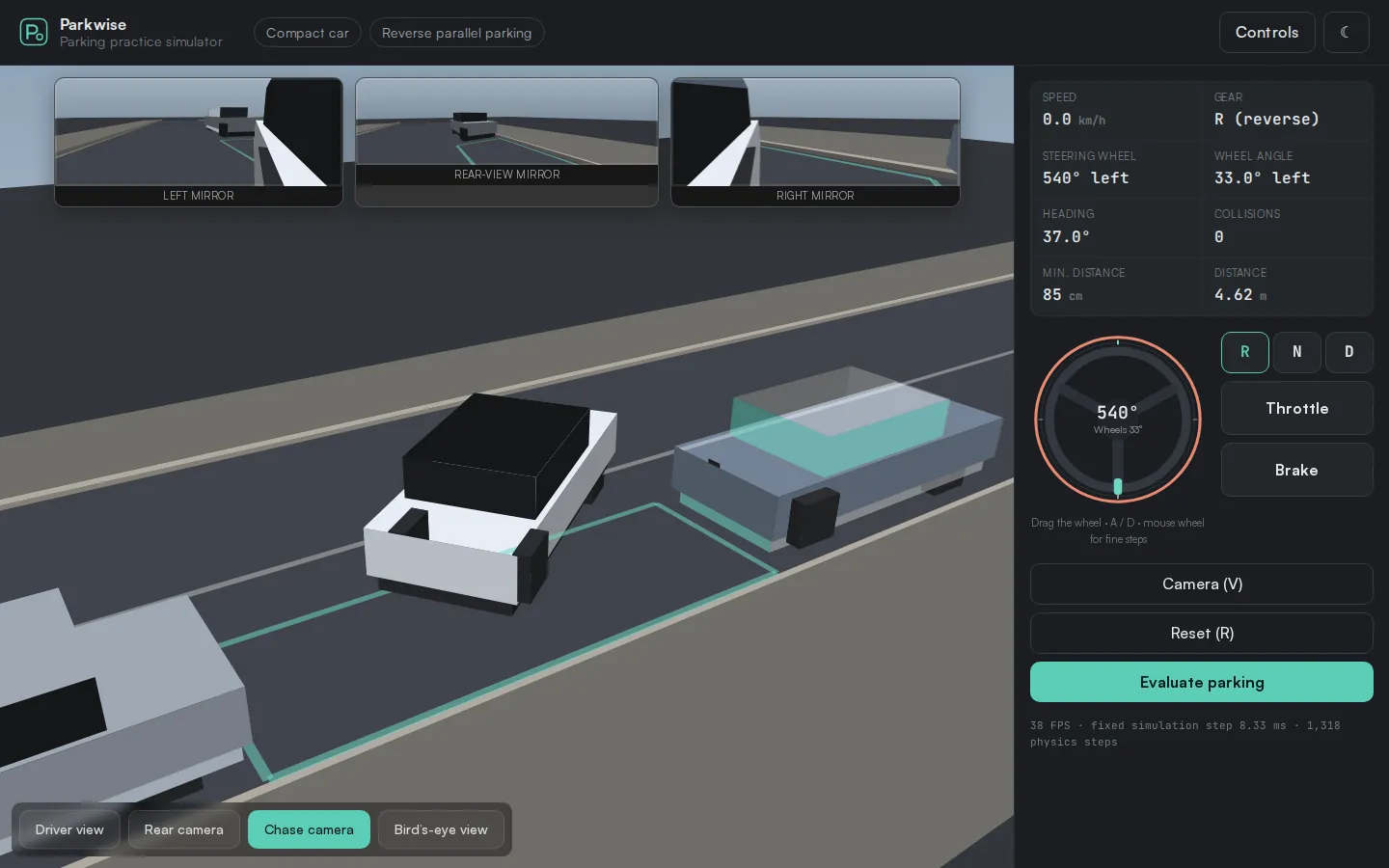
What you can do
Parkwise is a training tool, not an arcade game. It never steers for you and never nudges the car into the space. What you learn is how a car really behaves.
Parallel parking in wide, standard and tight spaces, at an open curb, reverse and forward bay parking, a narrow bay with a wall and a 45° angled bay.
From a 4.07 m city car to a 5.16 m van. Length, wheelbase, overhangs and turning circle all change how and when you have to steer.
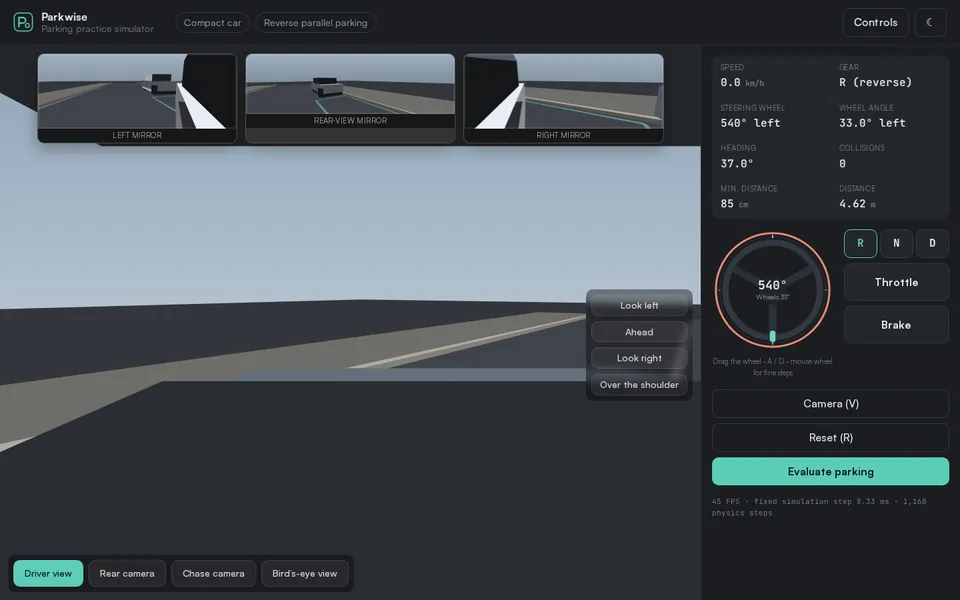
Drive from the driver’s seat with left, right and rear-view mirrors, switch to the reversing camera with guide lines, or use the chase and bird’s-eye views.
Beginner mode tells you when to turn in, when to counter-steer and when the front is clear — all calculated from your car and the space, never hard-coded.
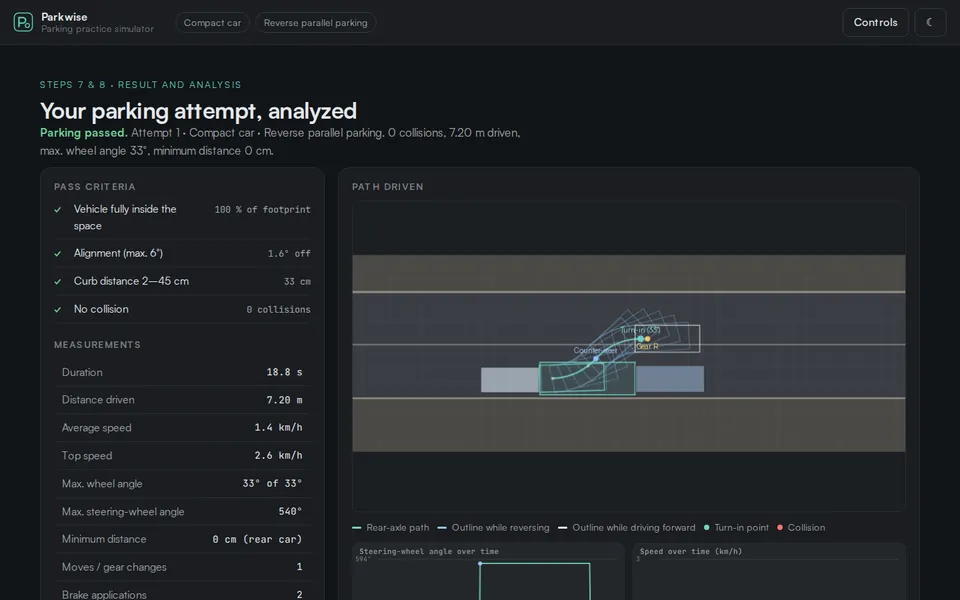
After each attempt: the path you drove, your turn-in point, curb distance, alignment, collisions and steering over time. Compare attempts side by side.
Keyboard, mouse or touch. The steering wheel stays where you leave it, just like in a real car — about one and a half turns to full lock.
Parking maneuvers
Start easy, then tighten the margins. Every maneuver has clear, measurable pass criteria.
Plenty of room — ideal for understanding the sequence and how far the rear swings out.
The classic curbside space between two parked cars, about 2 m longer than your vehicle.
Only one car as a reference and an open curb behind it — practice for an even curb distance.
Only about 95 cm to spare. Your turn-in point has to be right to within 20 cm.
Reverse into a perpendicular bay between two cars — the safest everyday method.
Parking nose-first: easier to get in, much harder to get out again.
Driving into a 45° angled bay — typical for parking lots with one-way aisles.
A narrow bay, tall neighboring vehicles, a narrow aisle and a wall behind the space.
How a practice session works
A single attempt takes about a minute. Your attempts stay in the open browser tab so you can compare them.
The briefing shows the space size and your key reference values, calculated for the car you picked.
Select the gear, steer and control your speed. Nothing is automated, nothing is corrected for you.
See whether you passed, how far from the curb you ended up and exactly where you turned in.
Reset in one keystroke, try again and compare the measured values of all your attempts.
Parkwise shows what actually happened: the path of your rear axle, the outline of the car along the way, where you turned in and counter-steered, and how the steering wheel and speed changed over time.
Camera views
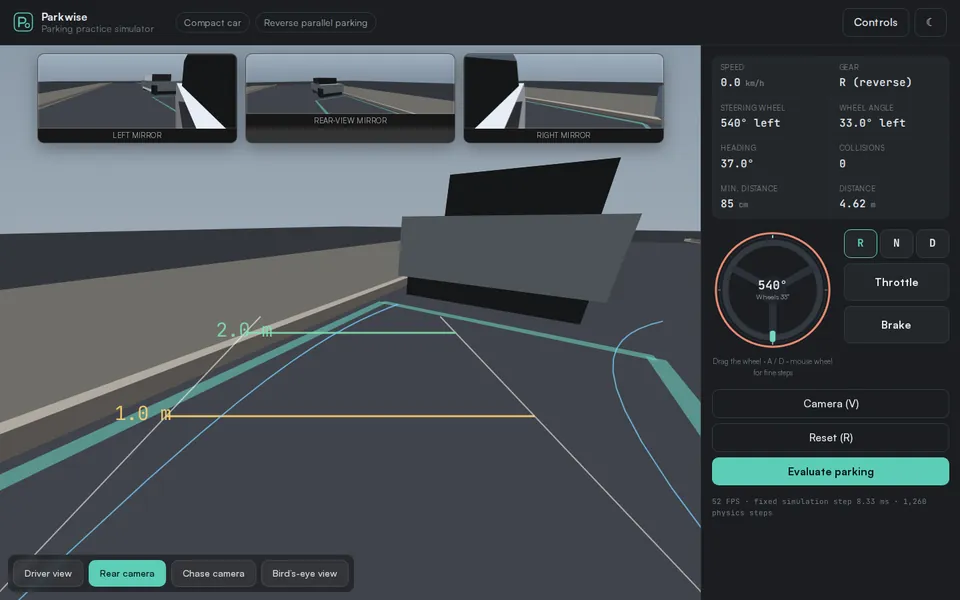
Four views and three mirrors, each placed where it is in a real vehicle and moving with it.
The guide lines mark 1 m and 2 m behind your bumper and the width of your car. The curved line shows where you will go with the current steering angle — calculated with the same model that moves the car.
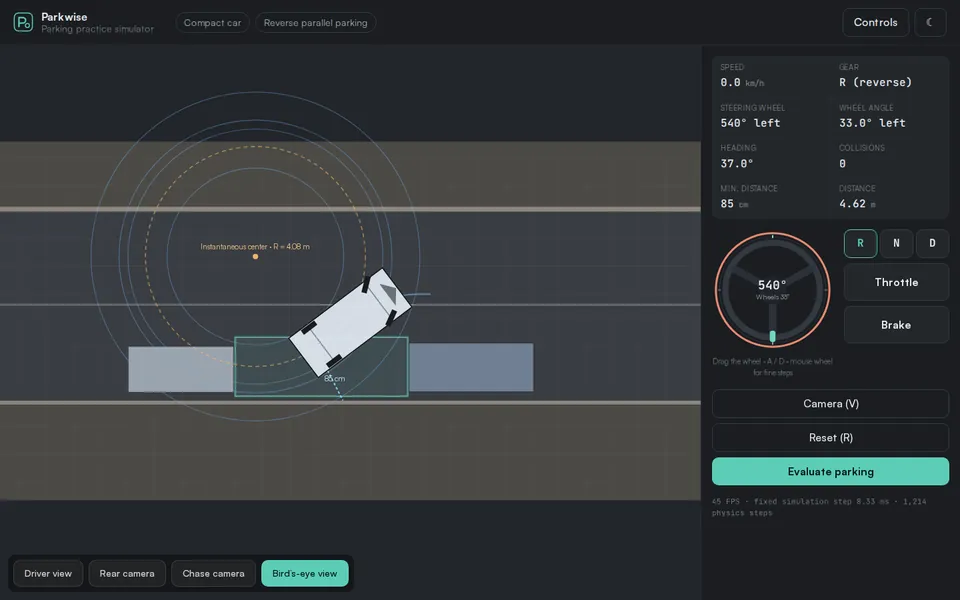
See your car from above, true to scale, with the center of the turning circle, the path of every corner and live distances to the nearest obstacle. It makes clear why the front swings out and the rear cuts in.
Sit behind the wheel, turn your head or look over your shoulder. The door mirrors show your own car’s flank, just like the reference you use when parking for real.
Why it drives like a real car
The car in Parkwise can only move the way a real car can. That is what makes the practice useful.
A kinematic single-track (Ackermann) model moves the car around its turning center. The rear is never pushed sideways; its swing comes from the geometry alone.
Everything is in meters and degrees: length, width, wheelbase, overhangs and maximum wheel angle of each vehicle, with a turning radius of R = L / tan δ.
Physics runs at a fixed step of 1/120 s, independent of your screen. The same inputs always produce exactly the same path — there is no randomness.
In training mode the software never steers, never corrects your line and never forces an ideal path. A collision stops the car where it happened.
Vehicles
Switch vehicles to feel how size and wheelbase change your turn-in point.
| Vehicle | Length × width | Wheelbase | Max. wheel angle | What it teaches |
|---|---|---|---|---|
| City car | 4.07 × 1.75 m | 2.56 m | 35° | Short and nimble — forgives a late turn-in. |
| Compact car | 4.35 × 1.82 m | 2.65 m | 33° | The reference vehicle for learning the standard sequence. |
| Sedan | 4.94 × 1.86 m | 2.93 m | 32° | Long wheelbase and long rear overhang — turn in earlier. |
| SUV | 4.70 × 1.93 m | 2.79 m | 34° | Wide and tall: poorer visibility, larger turning circle. |
| Van | 5.16 × 1.98 m | 3.20 m | 31° | Long, tall, no rear window — practice with mirrors only. |
Controls
Who it is for
Understand the sequence and your reference points before and between driving lessons.
Refresh parking skills after a long break without pressure and without traffic behind you.
See how a longer car, a larger turning circle or a van without a rear window changes the maneuver.
Use the bird’s-eye view and the analysis to explain why the rear swings out and when to counter-steer.
FAQ
Yes. Parkwise is completely free to use. There is no account, no subscription and no advertising.
No. Parkwise runs directly in a current web browser on a computer, tablet or phone. Just open the simulator and start practicing.
Yes. The steering wheel, pedals and gear selector can be used by touch. A larger screen makes the mirrors and measurements easier to read.
Parkwise teaches the geometry of parking: when to turn in, how far the rear swings out, when to counter-steer and how vehicle size changes all of this. These principles apply to real cars. Real vehicles still differ in steering, visibility and dimensions, so practice carefully and slowly when you move to a real car.
No. Parkwise is a practice aid. It does not replace lessons with a qualified driving instructor and does not prepare you for an official driving test on its own.
The car has an automatic gearbox with D, R and N and optional creep, as in most automatic cars. The scenarios use right-hand traffic, so the curb is on the right.
No artificial score. Each maneuver has clear pass criteria — inside the space, aligned, the right curb distance and no collision — plus measured values you can compare between attempts.
No. Parkwise uses no cookies, no tracking and no accounts. Your attempts are kept only in the open browser tab and are gone when you close or reload it. Details are in the Privacy Policy.
Pick a car, choose a space and start practicing. It takes less than a minute.